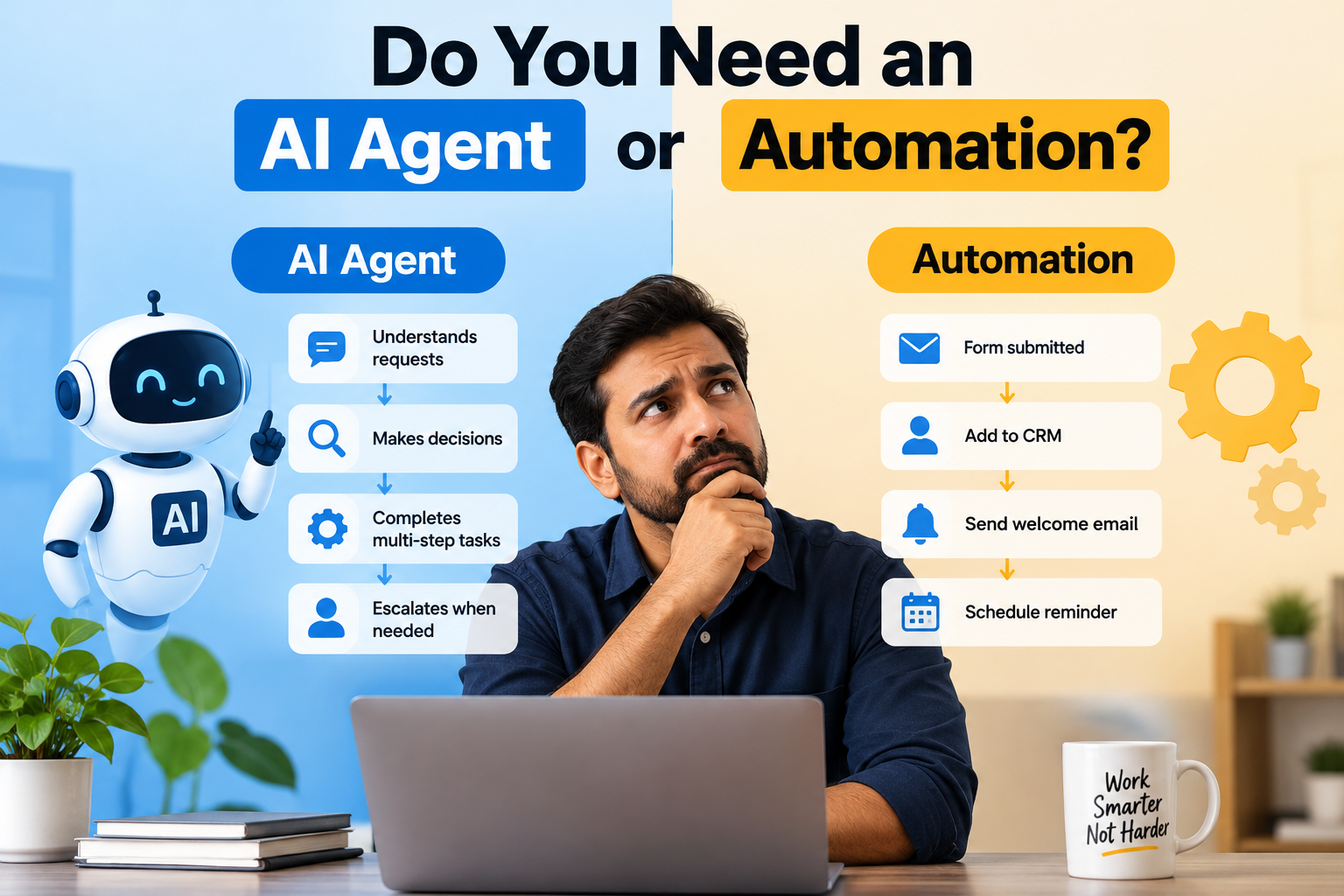
An AI agent is not just a more expensive chatbot.
And despite all the excitement around AI agents, your small business probably doesn’t need one for every task.
Today, business owners are constantly hearing about AI agents, intelligent workflows, and AI-powered automation.
The message often sounds the same: If you want to grow your business, you need AI agents.
But is that really true?
Not necessarily.
Sometimes, simple automation can solve your problem faster, more reliably, and more cheaply.
Other times, an AI agent can handle work that traditional automation cannot easily manage.
The important question isn’t whether AI agents are better than automation.
It’s which solution makes sense for your specific business process.
In this guide, we’ll break down AI agent versus automation, explore practical examples, and help you decide what your business actually needs.
What Is Traditional Automation?
Traditional automation uses predefined rules to complete tasks without requiring someone to perform every step manually.
Think of it as a system that follows instructions.
When something happens, the automation performs a specific action.
For example:
A potential customer fills out a contact form on your website.
Your automation automatically:
-
Captures the customer’s details.
-
Adds the information to your CRM.
-
Sends a welcome email.
-
Notifies your sales team.
-
Schedules a follow-up reminder.
Every step is already defined.
The automation doesn’t need to decide what to do next. It simply follows the workflow you’ve created.
Where Traditional Automation Works Best
Traditional automation is ideal for tasks that are repetitive, predictable, and rule-based.
Common examples include:
-
Sending appointment reminders.
-
Updating customer records.
-
Creating invoices from completed orders.
-
Sending confirmation emails.
-
Moving leads between CRM stages.
-
Scheduling recurring reports.
-
Notifying team members about new inquiries.
For many small businesses, these automations can eliminate significant amounts of repetitive administrative work.
And importantly, they don’t require an AI agent.
What Is an AI Agent?
An AI agent is a software system that uses AI to work toward a defined goal, selecting actions and using available tools within specified boundaries.
Unlike traditional automation, which follows a fixed sequence, an AI agent can adapt its next step based on the information it receives.
Let’s look at an example.
Imagine you run a digital marketing agency.
A potential customer sends this message:
“I’m running a small online store. I’m getting website visitors but very few sales. Can you help?”
A traditional automation might send a predefined reply:
“Thank you for contacting us. Our team will get back to you shortly.”
An AI agent could take a more flexible approach.
Depending on its permissions and connected tools, it could:
-
Read the inquiry and identify the customer’s problem.
-
Check your approved service information.
-
Ask for missing details, such as the website URL and advertising budget.
-
Suggest a relevant service based on your predefined criteria.
-
Prepare a personalized response.
-
Create or update a CRM record.
-
Flag the inquiry for human review when necessary.
The agent is not simply following one fixed sequence.
It can determine which approved action to take based on the situation.
However, that flexibility introduces additional responsibilities.
AI agents need clear instructions, restricted permissions, monitoring, and human approval for sensitive actions.
AI Agent Versus Automation: What’s the Difference?
Here’s a simple comparison.
| Feature | Traditional Automation | AI Agent |
|---|---|---|
| How it works | Follows predefined rules | Selects actions toward a goal |
| Decision-making | Rule-based | Can interpret context and choose actions |
| Flexibility | Limited to configured paths | Can adapt within defined boundaries |
| Best for | Predictable, repetitive tasks | Controlled, multi-step work |
| Setup | Often simpler | Typically more complex |
| Cost | Often lower | May involve higher operating costs |
| Main risk | Incorrect rules or workflow failures | Incorrect decisions, tool actions, or unexpected behavior |
| Human oversight | Depends on task risk | Especially important for consequential actions |
One important distinction: Not every workflow that uses AI needs an AI agent.
For example, you might use AI to classify customer emails and then send each email to a predefined department.
That’s AI-powered automation.
The AI interprets information, but the overall workflow still follows fixed rules.
An AI agent becomes more relevant when the system needs to decide which steps to take, in what order, and which approved tools to use.
5 Practical Examples for Small Business Owners
1. Capturing Website Leads
Scenario: Someone fills out a contact form on your website.
Required actions:
-
Capture the contact details.
-
Add the lead to your CRM.
-
Send a confirmation email.
-
Notify your sales team.
Recommended solution: Traditional automation.
Why?
The process is predictable.
You know exactly what should happen after someone submits the form.
An AI agent would add unnecessary complexity to this workflow.
2. Handling Customer Support Inquiries
Scenario: Customers send different types of questions about your products and services.
Some questions are straightforward.
Others require checking order information, asking follow-up questions, or involving your support team.
Recommended solution: AI-powered automation or an AI agent, depending on complexity.
If you only need to classify messages and route them to the right department, AI-powered automation may be enough.
If the system must retrieve approved information, ask clarifying questions, and coordinate multiple actions, a controlled AI agent may be useful.
For refunds, account changes, or sensitive customer issues, add appropriate approval steps.
3. Sending Appointment Reminders
Scenario: Your business needs to remind customers about upcoming appointments.
Required actions:
-
Check scheduled appointments.
-
Send reminders before each appointment.
-
Update the notification status.
Recommended solution: Traditional automation.
There’s no need for an agent to interpret complex information or independently select actions.
A simple scheduled workflow can handle the process.
4. Qualifying New Sales Leads
Scenario: Your agency receives inquiries from businesses with different requirements, budgets, and timelines.
The system needs to understand each inquiry and collect relevant information.
Recommended solution: AI-powered automation or a controlled AI agent.
For simple lead scoring based on fixed criteria, traditional automation may work.
For extracting information from free-text inquiries, AI-powered automation can help.
An AI agent may be useful when qualification requires several rounds of questions, approved information lookups, and updates across multiple tools.
A salesperson should review important recommendations before commitments are made.
5. Managing Marketing Campaign Workflows
Scenario: Your team needs to prepare campaign updates using information from several platforms.
A workflow might involve:
-
Retrieving campaign performance data.
-
Identifying changes in performance.
-
Preparing a summary.
-
Suggesting possible adjustments.
-
Creating a task for the marketing team.
Recommended solution: Depends on the workflow.
If you’re generating the same report every Monday, traditional automation may be sufficient.
If you need AI to summarize the data, use AI-powered automation.
If the system needs to investigate unusual results, select relevant tools, gather additional information, and prepare recommended actions, an AI agent could add value.
Changes to advertising budgets or live campaigns should have defined approval rules.
How to Decide Whether Your Business Needs an AI Agent
Before investing in AI agents, ask yourself these five questions.
Question 1: Does the Task Follow the Same Steps Every Time?
If the answer is yes, start with traditional automation.
Examples include:
-
Sending notifications.
-
Updating spreadsheets.
-
Moving CRM records.
-
Scheduling reminders.
You don’t need an agent to perform a task that already has a clear sequence of steps.
Question 2: Does the Task Require Understanding Information?
Some tasks involve reading customer messages, documents, or other unstructured information.
For example, identifying whether an incoming email is a sales inquiry, support request, or complaint.
AI can help interpret that information.
But this doesn’t automatically mean you need an AI agent.
A single AI classification step inside a predefined automation may be sufficient.
Question 3: Does the Task Require Multiple Decisions?
Consider an AI agent when the system needs to select different actions based on changing information.
For example, a customer onboarding process might require the system to:
-
Check which documents are missing.
-
Request additional information.
-
Verify whether required fields are complete.
-
Update an approved internal system.
-
Escalate exceptions.
If the correct sequence cannot easily be defined in advance, an AI agent may be worth evaluating.
Question 4: What Happens If Something Goes Wrong?
This is one of the most important questions.
A mistake in an internal draft is very different from a mistake involving customer payments or private information.
Before allowing an AI agent to take action, define:
-
What information it can access.
-
Which tools it can use.
-
Which actions require approval.
-
When it must stop or escalate.
-
How its actions will be logged and monitored.
The greater the potential impact of an error, the stronger the safeguards should be.
Question 5: Is the Additional Complexity Worth It?
AI agents can introduce costs related to model usage, tool integrations, testing, monitoring, and maintenance.
Ask whether the agent will provide enough value to justify those costs.
If a simple automation already solves the problem reliably, an agent may not improve the outcome.
The AI Workflow Decision Tree
Use this simple decision process before choosing a tool.
START: What business task do you want to automate?
Step 1: Does it follow predictable rules and repeatable steps?
→ Yes: Start with traditional automation.
→ No: Continue to Step 2.
Step 2: Does it require understanding emails, documents, customer requests, or other unstructured information?
→ Yes: Consider AI-powered automation.
→ No: Review whether the process can be simplified into predefined rules.
Step 3: Does it need to choose and execute different actions across multiple steps?
→ Yes: Evaluate an AI agent.
→ No: AI-powered automation within a fixed workflow may be enough.
Step 4: Could a wrong action affect customers, finances, sensitive information, or business operations?
→ Yes: Add human approval, restricted permissions, and stronger monitoring.
→ No: Still define appropriate safeguards, test the workflow, and monitor results.
The goal is not to select the most sophisticated technology.
The goal is to select the simplest reliable solution that meets your business requirements.
Common Mistakes Small Businesses Make With AI Automation
Mistake 1: Using AI Agents for Everything
Not every repetitive task requires intelligent decision-making.
Using agents for simple workflows can increase costs and make systems harder to maintain.
Start with the actual business problem rather than the latest technology.
Mistake 2: Automating a Broken Process
If your current process is confusing, adding automation won’t automatically fix it.
Before building anything, document the existing steps.
Identify unnecessary actions, unclear responsibilities, and recurring problems.
Simplify the process first.
Then automate it.
Mistake 3: Giving AI Agents Too Much Control
An AI agent shouldn’t automatically have permission to send payments, delete customer records, or make important business commitments.
Give it only the access required for its specific task.
Use approval checkpoints where mistakes could have serious consequences.
Mistake 4: Ignoring Maintenance
Business processes change.
Customer requirements change.
Connected software tools change.
Both traditional automations and AI agents need monitoring and occasional updates.
Plan for ongoing maintenance rather than treating automation as a one-time project.
How to Get Started With AI Automation in Your Small Business
You don’t need to transform your entire business overnight.
Start with one process.
Here’s a practical approach.
-
Identify a task that consumes time every week.
-
Write down exactly how the task currently works.
-
Separate predictable steps from those requiring judgment.
-
Decide whether traditional automation, AI-powered automation, or an AI agent is appropriate.
-
Define success measures such as time saved, accuracy, operating cost, and customer experience.
-
Test the workflow using realistic scenarios before using it broadly.
-
Review the results and improve the system before expanding.
This approach helps you make technology decisions based on real business needs.
Final Thoughts: Automation First, AI Agents When Necessary
The conversation around AI agents often focuses on what the technology can do.
But small business owners should focus on what their business actually needs.
If a task is predictable, automate it.
If it requires interpreting information within a fixed process, consider AI-powered automation.
If it requires flexible decisions and multiple actions across approved tools, evaluate an AI agent.
And when the stakes are high, keep humans involved.
AI agents aren’t automatically better than traditional automation.
They’re different tools designed for different kinds of work.
The goal isn’t to make your business look more advanced.
The goal is to make it run better.
Free Resource: Get the AI Workflow Decision Tree
Still unsure whether your business needs an AI agent or simple automation?
Get the AI Workflow Decision Tree, a practical guide designed to help small business owners evaluate their workflows and choose the right automation approach.
Use it to identify repetitive tasks, understand when AI adds value, and recognise when human oversight is necessary
About the Author
Kishor Nair works in AI & Digital Marketing, focusing on practical ways businesses can use AI, automation, and digital tools to improve their workflows.
#AIAgents #BusinessAutomation #AIDigitalMarketing #SmallBusinessAutomation #AIWorkflow