Running a small business in 2026 means managing multiple responsibilities, often with limited time, staff, and resources.
You might be creating social media content in the morning, following up with leads in the afternoon, answering customer questions, and reviewing finances at night.
AI tools can help reduce some of that workload.
But here’s the problem.
Search for the best AI tools for small businesses in 2026, and you’ll find countless lists recommending the same popular platforms.
What those lists often fail to explain is which tool actually solves your business problem.
The goal isn’t to use more AI tools.
It’s to choose the right AI tool for the job that’s costing your business time.
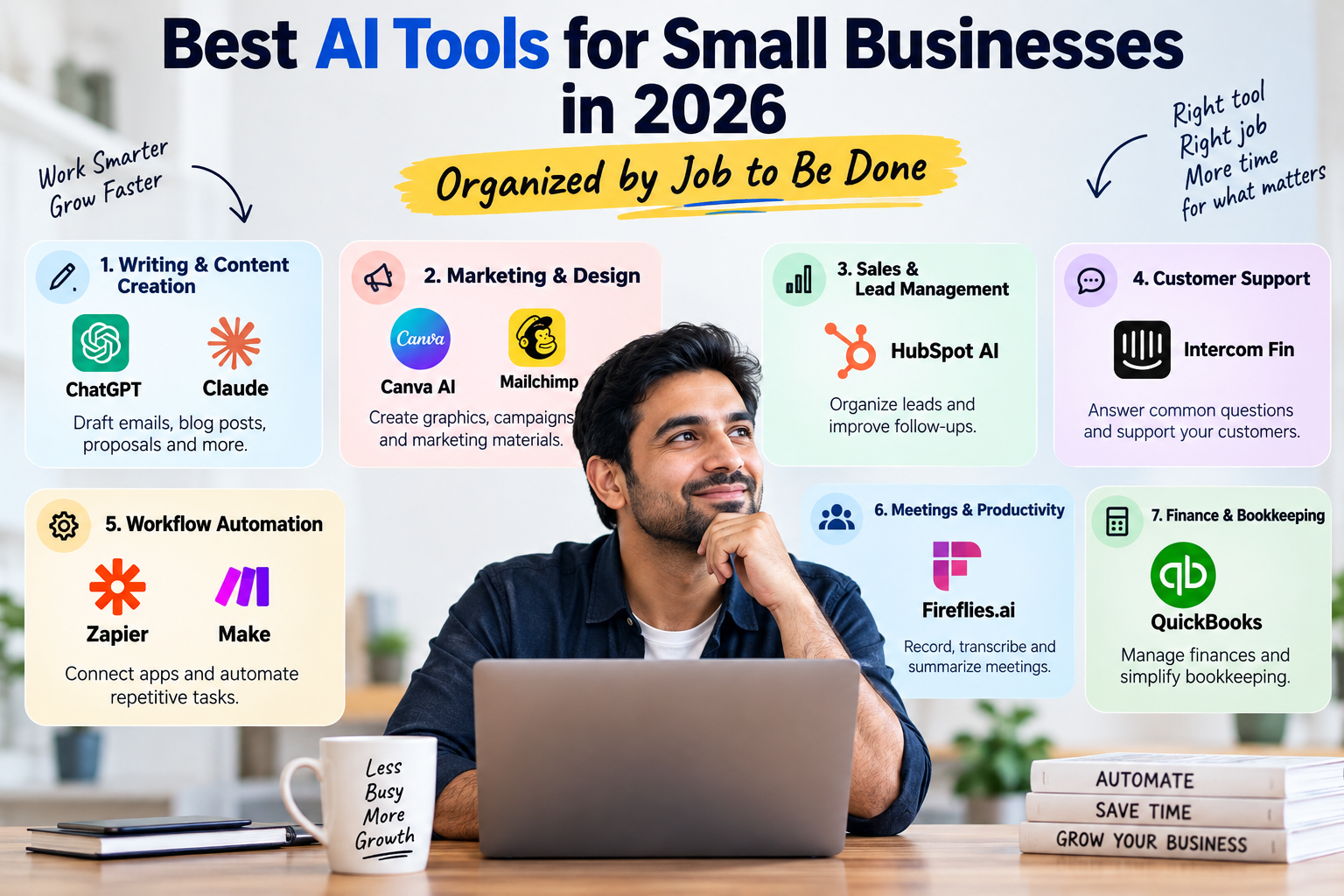
In this guide, we’ll compare practical AI tools across seven important business functions, explain when to use each one, and help you decide where to start.
Quick Comparison: Best AI Tools for Small Businesses in 2026
| Business Task | Recommended Tools | Primary Use |
|---|---|---|
| Writing & Content | ChatGPT, Claude | Emails, blogs, proposals |
| Marketing & Design | Canva AI, Mailchimp | Graphics, email campaigns |
| Sales & CRM | HubSpot AI | Lead management, follow-ups |
| Customer Support | Intercom Fin | Automated customer answers |
| Workflow Automation | Zapier, Make | Connecting apps and processes |
| Meetings | Fireflies.ai | Transcriptions, summaries |
| Finance | QuickBooks | Bookkeeping and financial admin |
These are practical starting points, not universal winners. The right choice depends on your existing software, budget, team, and workflow.
1. Best AI Tools for Writing and Content Creation
Content creation is one of the most time-consuming activities for small business owners.
From customer emails to blog posts and product descriptions, writing takes time.
Two useful AI tools in this category are ChatGPT and Claude.
ChatGPT
ChatGPT is a general-purpose AI assistant that helps businesses create, edit, and organize written content.
Common business applications include:
Writing professional emails
Creating blog post outlines
Drafting social media captions
Preparing business proposals
Generating product descriptions
Summarizing customer feedback
Practical example:
Imagine you own a digital marketing agency.
Instead of drafting every client proposal from scratch, you can use ChatGPT to prepare a first draft based on your services, scope, and project requirements.
You review and personalize the proposal before sending it.
This can reduce repetitive writing without sacrificing your business voice.
Claude
Claude is another AI assistant that can be useful for reviewing lengthy documents, organizing information, and developing detailed written content.
Consider Claude when your work involves long reports, documentation, or substantial editing.
Which should you choose?
Start with ChatGPT if you need a flexible assistant for everyday writing and brainstorming.
Consider Claude if working with long documents is a major part of your workflow.
Test both with the same real business task before deciding.
2. Best AI Tools for Marketing and Design
Small businesses need consistent marketing to stay visible.
But producing graphics, emails, and promotional materials every week can become overwhelming.
Canva AI
Canva offers AI-assisted design and content features that help small businesses create visual marketing assets.
You can use it for:
Instagram and LinkedIn graphics
Promotional banners
Business presentations
Marketing brochures
Short-form visual content
For example, a local restaurant can create promotional graphics for a weekend offer without starting every design from scratch.
Canva is especially useful when your team lacks dedicated design resources.
Mailchimp
Mailchimp combines email marketing with automation and AI-assisted features.
It can support businesses with campaign creation, audience segmentation, and customer communication.
For example, an online store can set up an automated welcome email series for new subscribers.
Instead of manually sending each message, the business creates the workflow once and monitors its performance.
Which should you choose?
Choose Canva if your biggest challenge is creating visual content.
Choose Mailchimp if you need help managing email campaigns and customer communication.
They solve different problems and can work together.
3. Best AI Tool for Sales and Lead Management
Generating leads is important.
But converting those leads into paying customers often depends on consistent follow-up.
Many small businesses lose opportunities because inquiries remain unanswered or customer details are scattered across different systems.
HubSpot AI
HubSpot offers AI-powered capabilities within its CRM and sales tools.
Depending on your plan and features, it can help with:
Organizing customer information
Summarizing interactions
Preparing sales communications
Managing follow-up activities
Supporting sales workflows
Practical example:
A consulting business receives inquiries through its website.
Those leads are added to its CRM, assigned to the appropriate salesperson, and tracked through the sales process.
AI-assisted summaries can help the team understand customer conversations without reviewing every note manually.
When does HubSpot make sense?
Consider HubSpot when you regularly manage multiple leads and need a structured sales process.
If you only receive a few inquiries each month, a simpler tracking system might be enough.
Don’t adopt a complex CRM before your business needs one.
4. Best AI Tool for Customer Support
Customers expect timely answers.
But hiring a dedicated support team isn’t always practical for a small business.
This is where AI-powered customer support can help.
Intercom Fin
Intercom Fin is an AI customer support agent designed to answer customer questions using available business support information.
Common applications include:
Answering frequently asked questions
Explaining product or service information
Helping customers find support resources
Handling suitable repetitive inquiries
Escalating conversations when human assistance is needed
Practical example:
An e-commerce business receives repeated questions about delivery times, returns, and order policies.
Instead of manually answering every question, an AI support agent can respond using the business’s approved information.
The support team can then focus on more complicated customer issues.
Is it right for every small business?
Not necessarily.
If your business receives very few support requests, a detailed FAQ page and shared inbox may be sufficient.
Consider AI support when repetitive inquiries are consuming meaningful staff time.
5. Best AI Tools for Workflow Automation
This is one of the most valuable categories for small businesses.
Why?
Because many daily tasks involve transferring information between different applications.
Examples include copying website leads into spreadsheets, sending notifications, updating CRM records, and preparing follow-up emails.
Two useful automation platforms are Zapier and Make.
Zapier
Zapier connects applications and helps automate repetitive processes.
You can create workflows that trigger actions when specific events occur.
For example:
A new lead fills out a website form.
→ Their information is added to your CRM.
→ Your sales team receives a notification.
→ A follow-up email is prepared or sent.
The workflow reduces the need to transfer information manually.
Make
Make is a visual automation platform that allows businesses to build workflows across multiple applications.
It can be particularly useful when a process involves several steps, conditions, or data transformations.
For example, a service business might use Make to connect booking forms, customer databases, notifications, and internal task management.
Zapier vs. Make: Which is better?
Zapier is worth considering when you want straightforward integrations and quick workflow setup.
Make is worth considering when you need more customized logic and visual control over multi-step processes.
Both have learning curves, and the right choice depends on your workflow.
A practical automation tip
Before automating anything, document the manual process.
Identify:
What starts the process?
Which information needs to move?
What action should happen next?
Where is human approval required?
A clear process is easier to automate and troubleshoot.
6. Best AI Tool for Meetings and Productivity
Meetings can create hidden administrative work.
Someone needs to take notes, identify decisions, prepare summaries, and track action items.
Fireflies.ai
Fireflies.ai provides AI-assisted meeting transcription, summaries, and conversation analysis.
It can help teams:
Capture meeting notes
Summarize discussions
Identify action items
Review previous conversations
Share meeting information
Practical example:
A small marketing agency conducts several client meetings each week.
Instead of spending additional time writing summaries after each call, the team can use Fireflies.ai to prepare notes and identify follow-up tasks.
A team member should still review important details for accuracy.
Also, make sure meeting participants are informed and any necessary recording consent is obtained.
Who benefits most?
Consultants, agencies, sales teams, and service businesses that attend frequent meetings may find the tool useful.
If meetings are rare, a dedicated AI meeting assistant may not justify another subscription.
7. Best AI Tool for Finance and Bookkeeping
Financial management is essential, but routine bookkeeping can take time away from customers and business development.
AI-assisted accounting software can help organize information and reduce administrative effort.
QuickBooks
QuickBooks provides accounting and automation features, including AI-assisted capabilities that vary by product and plan.
It can help businesses with:
Categorizing transactions
Managing invoices
Tracking expenses
Reviewing financial information
Supporting bookkeeping workflows
Practical example:
A small consulting company receives payments from multiple clients and incurs recurring software expenses.
QuickBooks can help organize these transactions and provide a clearer view of business finances.
Important consideration
AI should assist financial management, not replace professional judgment.
Review transaction classifications, tax information, and important financial decisions.
Check local accounting and tax requirements before choosing software, particularly if your business operates outside the United States.
How to Choose the Right AI Tools for Your Small Business
With so many platforms available, choosing the right AI tools can feel confusing.
A practical approach is to focus on your business problems rather than product popularity.
Step 1: Identify your biggest time-consuming task
Think about the activities that repeatedly interrupt your day.
Is it writing content?
Following up with customers?
Preparing invoices?
Updating spreadsheets?
Start with the task that creates the most friction.
Step 2: Measure how much time it takes
For one week, track the time spent on that activity.
For example:
If you spend five hours each week manually transferring lead information, you have a clear opportunity to investigate automation.
Step 3: Choose one tool
Avoid buying multiple subscriptions at once.
Select a tool that addresses your specific problem and test it on a small workflow.
Step 4: Evaluate the results
Ask yourself:
Did it reduce manual work?
Was the output accurate?
Did it improve response times?
Was it easy for the team to use?
Did the benefit justify the subscription cost?
Also consider data privacy, integration requirements, and the cost of reviewing AI-generated work.
Step 5: Expand gradually
Once the first workflow delivers measurable value, identify the next task worth improving.
This creates a more sustainable approach to adopting AI.
Common Mistakes Small Businesses Make With AI Tools
AI tools can be useful, but adopting them without a clear plan can create additional complexity.
Here are four mistakes worth avoiding.
1. Buying tools because they’re trending
A popular AI tool isn’t automatically useful for your business.
Choose software based on actual needs.
2. Automating a broken process
If your current workflow is confusing, automating it may simply make mistakes happen faster.
Simplify the process first.
3. Ignoring data privacy
Be careful when sharing customer records, confidential documents, or sensitive financial information with AI services.
Review access controls, data handling policies, and relevant compliance requirements.
4. Expecting perfect AI output
AI-generated content, summaries, and recommendations can contain mistakes.
Keep human review in place for customer-facing, financial, legal, or other important decisions.
Do Small Businesses Really Need Multiple AI Tools?
Not always.
A small business may begin with just two or three tools.
For example:
ChatGPT for content creation and everyday assistance
Canva for marketing visuals
Zapier for repetitive workflow automation
Another business might benefit more from a CRM and customer support system.
There is no single combination that works for everyone.
Your business model, existing software, and operational challenges should determine the tools you select.
Frequently Asked Questions
What are the best AI tools for small businesses in 2026?
Useful options include ChatGPT and Claude for writing, Canva for design, HubSpot for sales, Intercom Fin for customer support, Zapier and Make for automation, Fireflies.ai for meetings, and QuickBooks for bookkeeping. The best choice depends on the specific task you need to improve.
Which AI tool should a small business start with?
Start with a tool that solves a frequent, measurable problem. ChatGPT can be a flexible starting point for writing and administrative tasks, while an automation platform may be more valuable if your team spends hours transferring data between apps.
Can AI help small businesses save money?
AI may reduce repetitive work, improve operational efficiency, and limit some administrative costs. However, savings depend on subscription fees, implementation effort, accuracy, and actual usage.
What is the difference between AI tools and AI automation?
AI tools help perform tasks such as drafting text, analyzing information, or summarizing meetings.
AI automation connects tasks and systems into workflows that run when defined conditions are met.
For example, drafting a follow-up email with ChatGPT is AI assistance. Automatically preparing that email when a new lead enters your CRM is part of an automated workflow.
Are free AI tools enough for a small business?
Free plans can be useful for testing basic workflows. Paid plans may become necessary for higher usage limits, advanced integrations, collaboration, or specific business features.
Always compare current pricing and plan limitations before subscribing.
Final Thoughts: The Best AI Tool Is the One That Solves Your Problem
The best AI tools for small businesses in 2026 aren’t necessarily the platforms with the longest feature lists.
They’re the ones that help you spend less time on repetitive work and more time serving customers and growing your business.
You don’t need to automate everything overnight.
Start by identifying one task that consumes too much time.
Choose a tool that addresses that problem.
Test it, measure the results, and improve the process.
Then move on to the next opportunity.
Because successful AI adoption isn’t about how many tools you use.
It’s about how effectively those tools support your business.
What’s Your Biggest Business Automation Challenge?
Are you spending too much time on marketing, lead follow-ups, customer support, or daily administrative tasks?
Share your biggest challenge in the comments.
Let’s explore which AI tools and automation opportunities could make the most practical difference for your business.
Download the full AI Tool Scorecard
Author: Kishor Nair
AI Automation | Digital Marketing