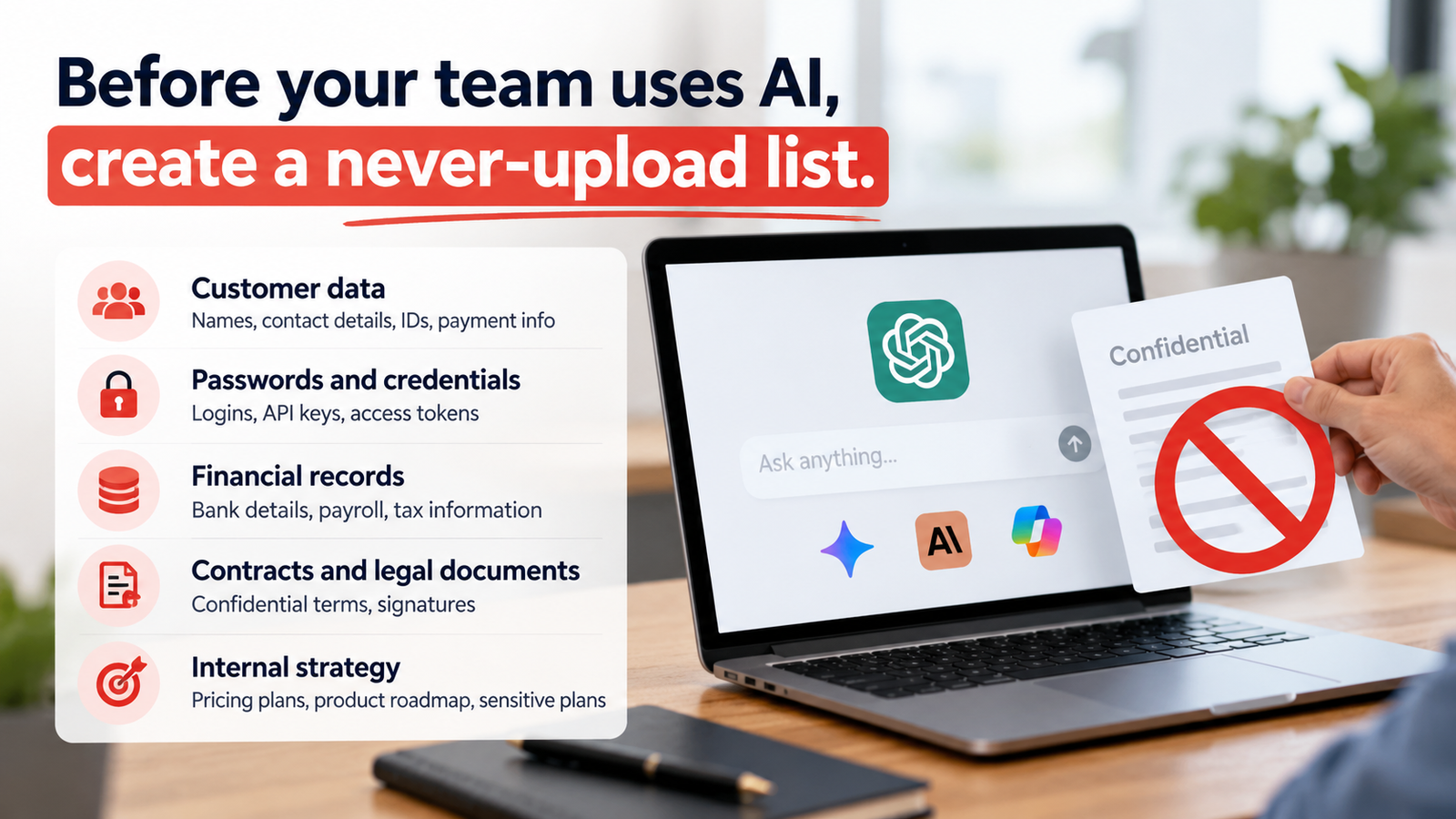
AI is becoming part of everyday business.
Small business owners are using AI to write emails, summarize documents, prepare proposals, research ideas, create content, analyze information, and handle repetitive admin work.
That can save a significant amount of time.
But before your team starts using AI more widely, there is one important question to answer:
What information should never be pasted into an AI tool?
The issue isn’t whether AI is useful. It clearly can be.
The issue is whether your business has sensible boundaries around customer information, passwords, financial records, contracts, employee information, and confidential business data.
For a small business, AI data privacy doesn’t need to begin with a complicated policy.
It can begin with one simple rule:
If the information could cause a customer, employee, partner, or your business harm if it were exposed, don’t paste it casually into an AI tool.
Why AI Data Privacy Matters for Small Businesses
Imagine an employee needs help replying to a difficult customer email.
The quickest solution seems obvious.
Copy the entire email thread into an AI tool and ask:
“Write a professional response.”
The AI may produce a useful answer in seconds.
But what else was included in that email?
Perhaps the customer’s full name, email address, phone number, order information, account details, pricing, previous complaints, or other private information.
The AI probably didn’t need all of that information to help draft the response.
The problem wasn’t using AI.
The problem was sharing more information than the task required.
This leads to one of the simplest principles a small business can adopt:
Give AI the minimum information it needs to complete the task.
Before copying information into an AI system, ask whether the actual names, numbers, documents, and customer details are really necessary.
Often, they aren’t.
Create Three AI Data-Safety Zones
A simple way to introduce AI data privacy for a small business is to divide information into three categories.
1. RED ZONE — NEVER PASTE
Some information should be treated as a default stop sign.
This includes:
Passwords and PINs
API keys and authentication tokens
Recovery codes
Private keys
Banking login credentials
Full payment-card details and CVVs
Government identification numbers
Passport information
Highly sensitive health or biometric information
Information you are not authorized to disclose
The principle is straightforward:
AI convenience is never a good reason to expose credentials or highly sensitive information.
If an AI workflow requires you to provide a password, API key, authentication token, or similar secret, stop and reconsider the process.
2. AMBER ZONE — PAUSE AND CHECK
The second category requires more judgment.
Your business may legitimately want AI assistance with information that isn’t public, but that doesn’t mean the information should automatically be pasted into any AI tool.
Examples include:
Customer emails
Call transcripts
Proposals and contracts
Internal financial reports
Pricing and margins
Employee information
Supplier terms
Business forecasts
Product roadmaps
Internal strategy
Proprietary processes
Source code
Unreleased marketing plans
Before using this type of information, ask:
Do I actually need to provide the real information for AI to complete this task?
If the answer is no, remove it.
If the answer is yes, consider whether the particular AI system, account configuration, permissions, contractual terms, and your own business policies are appropriate for that information.
3. GREEN ZONE — GENERALLY SAFER
The third category includes information that generally presents much less risk.
For example:
Public information
Generic business questions
Fictional examples
Synthetic data
Properly anonymized information
Non-sensitive content
Information created specifically for public use
Suppose you want AI to help create a payment follow-up email.
Instead of providing:
“Write an email to John Mathew at ABC Industries. He owes us ₹78,500 against invoice 3427, and here is his complete account history…”
you could provide:
“Draft a polite payment reminder to [CUSTOMER] regarding an overdue invoice for [AMOUNT]. The payment is [NUMBER] days overdue.”
AI can still help with the writing.
But you’ve removed information it didn’t need.
That’s a much better habit.
Redact Before You Prompt
One of the easiest ways to work more safely with AI is redaction.
Before pasting content into an AI tool, consider removing:
Names
Email addresses
Phone numbers
Account numbers
Customer IDs
Addresses
Confidential prices
Internal reference numbers
Other identifying information
Replace them with placeholders such as:
[CUSTOMER]
[COMPANY]
[PRICE]
[LOCATION]
[ACCOUNT TYPE]
[PRODUCT]
The AI usually doesn’t need to know your customer’s actual name.
It needs to understand that the person is a customer.
That distinction matters.
Summarize Instead of Uploading the Original Document
Another common mistake is uploading an entire document when AI only needs a small part of it.
Imagine you have a 20-page customer contract.
You want AI to help you prepare a meeting agenda around one operational issue.
Does AI really need the complete contract?
Probably not.
You may be able to describe the relevant issue without uploading the original document.
The same principle applies to:
Spreadsheets
Emails
Meeting transcripts
Customer records
Employee documents
Financial reports
Contracts and proposals
Before uploading a file, ask:
Can I explain the problem without uploading the original document?
Sometimes the answer will be no.
But asking the question itself creates a useful privacy habit.
Use Synthetic Data When Testing AI Workflows
Suppose you’re building an AI workflow to categorize incoming sales leads.
You don’t necessarily need to test it using your real customer database.
Create fictional information instead.
For example:
Customer: Customer A
Company: Example Manufacturing
Enquiry: Interested in Product X
Budget: ₹5 lakh
Timeline: 3 months
You can test whether the AI understands the workflow without exposing real customer information.
Once you’ve established that the process works, you can decide what approved systems and controls are appropriate before introducing real business data.
This approach is particularly useful when experimenting with new AI tools.
Is It Okay to Upload Customer Data Into AI Tools?
This is one of the most important questions for small businesses using AI.
There isn’t one universal yes-or-no answer.
It depends on factors such as:
The type of customer data
Why you’re processing it
Whether you are authorized to use it in that way
Your obligations to the customer
Applicable privacy requirements
Your contracts
The particular AI service being used
How that service handles your information
That’s why businesses shouldn’t rely on a blanket statement such as:
“AI is safe.”
But the opposite rule isn’t particularly useful either:
“Never use AI with business information.”
A more practical approach is to define:
What information can be used, which AI tools are approved, what information needs to be removed first, and when additional approval is required.
Different AI services and account types may have different policies and controls around data access, retention, training, administration, and security.
Those details should be checked before using sensitive business information.
Don’t Forget Employee and Internal Business Data
Customer information isn’t the only concern.
Employees can accidentally expose sensitive internal information while simply trying to work faster.
Someone might ask AI:
“Help me respond to this employee performance issue.”
Then paste an entire confidential HR conversation.
Or:
“Analyze our financial performance.”
Then upload a confidential spreadsheet.
Or:
“Help me negotiate this supplier contract.”
Then upload confidential commercial terms.
AI may be capable of assisting with all three tasks.
That doesn’t automatically mean the underlying information should be uploaded.
AI capability and data permission are two different questions.
The 10-Second Check Before Pasting Anything Into AI
Before you paste business information into an AI tool, ask yourself:
Is this information public, or am I authorized to share it with this AI system?
Does it contain passwords, credentials, API keys, tokens, or other security information?
Does it identify a customer, employee, prospect, or another individual?
Does the AI actually need that person’s identity?
Does it contain financial, legal, HR, contractual, health, or commercially sensitive information?
Can I redact or anonymize it?
Can I replace the real information with placeholders?
Do I understand how this particular AI tool handles the information I provide?
Has my business approved this tool for this type of information?
Would I be comfortable explaining this upload to the person whose information it contains?
If one of those questions makes you uncomfortable, don’t paste first and investigate later.
Remove unnecessary information.
Use a fictional example.
Or confirm whether the tool and use case are appropriate before proceeding.
Every Small Business Should Have an AI Never-Upload List
Most small businesses don’t need a 50-page AI policy before they can start improving how employees use AI.
Start with one page.
Your policy could be as simple as this:
Never Share
Passwords, authentication secrets, payment credentials, highly sensitive personal records, and information you’re not authorized to disclose.
Minimize by Default
Remove personal identifiers, confidential numbers, and unnecessary business context whenever possible.
Use Approved Tools
Decide which AI tools employees can use for business information and what categories of information are permitted.
Keep Humans Responsible
AI output doesn’t remove your responsibility for privacy, confidentiality, accuracy, customer commitments, or business decisions.
Make these rules visible.
Include them in employee onboarding.
Discuss them with anyone who regularly uses AI.
Because one of the biggest AI data-safety risks for a small business may not be a sophisticated technical attack.
It may simply be someone copying the wrong information into the wrong box.
AI Should Reduce Work — Not Reduce Judgment
Small businesses should explore AI.
It can help with research, drafting, summarizing, organization, content creation, customer communication, and repetitive administrative work.
But using AI confidently doesn’t mean sharing everything with it.
It means knowing where the boundaries are.
A useful rule to remember is:
AI can assist the work. Your business remains responsible for the data.
The businesses that benefit most from AI won’t necessarily be those that automate everything fastest.
They’ll be the businesses that learn what to automate, what information to protect, and where human judgment still matters.
Download the Free AI Data-Safety Checklist
I’ve created a practical AI Data-Safety Checklist for Small Businesses that you can use yourself or share with your team.
The checklist covers:
What you should never paste into AI tools
The Red / Amber / Green data-safety framework
A 10-second pre-paste checklist
Redaction and placeholder techniques
Safer ways to work with business information
A printable one-page AI data-safety rule for your team
Kishor Nair
AI Automation & Digital Marketing
Helping small businesses use AI practically while keeping human judgment, quality, and control where they matter.