Small business owners are hearing the same message everywhere:
“Use AI to automate your business.”
Automate your leads.
Automate your follow-ups.
Automate customer support.
Automate reporting.
It sounds like the obvious next step.
But there’s a problem.
If your current workflow is messy, adding AI will not automatically make it better.
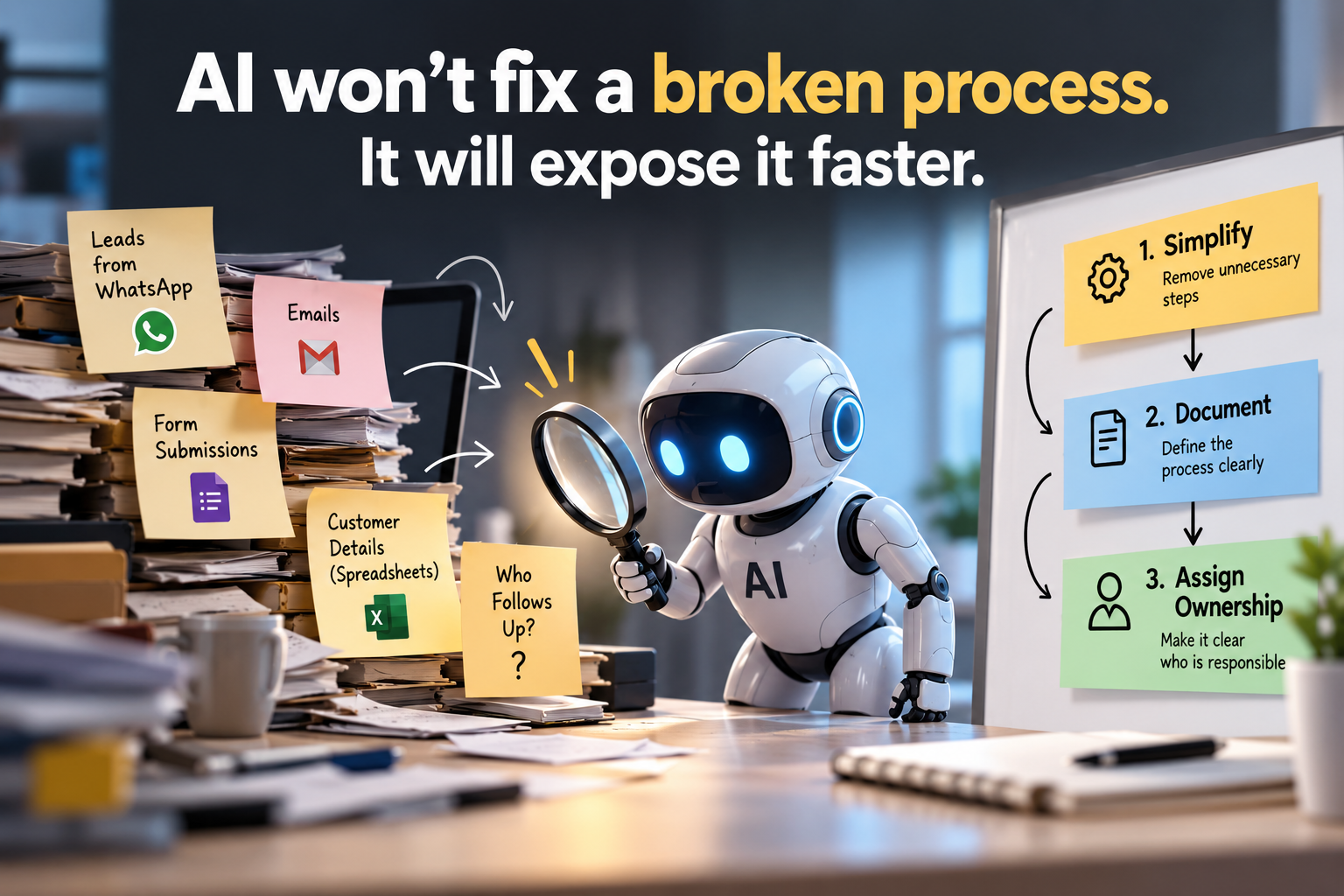
AI will not fix a broken process. It will expose it faster.
And this is one of the biggest AI business misconceptions small business owners need to understand before investing time or money in automation.
The Problem Isn’t Always a Lack of Automation
Imagine you run a small business.
New leads arrive through your website, WhatsApp, email, and social media.
Some customer information is stored in a spreadsheet.
Other details are sitting inside email conversations.
Your sales team follows up with some leads, but there is no clear rule about when or how.
One employee updates the spreadsheet.
Another keeps personal notes.
Sometimes two people contact the same lead.
Sometimes nobody does.
Then someone suggests:
“Why don’t we automate this with AI?”
It sounds like a good idea.
But what exactly are you automating?
There is no single process.
There are several disconnected ways of doing the same job.
Adding AI at this stage can simply make a bad workflow run faster.
Automation Multiplies What Already Exists
Think of AI as an accelerator.
Give it a clear process, and it can help that process move faster.
Give it a confusing process, and it can accelerate the confusion.
For example, suppose you want AI to automate lead follow-ups.
Before building the automation, you need answers to basic questions:
Where should new leads be stored?
Who owns each lead?
How quickly should someone respond?
Which leads should receive automated messages?
When should a human take over?
What happens if the customer doesn’t reply?
What happens after the lead becomes a customer?
If your team cannot answer these questions consistently, AI won’t magically decide how your business should operate.
That’s why the question shouldn’t initially be:
“How can I automate my workflows?”
A better question is:
“Is this workflow ready to be automated?”
Step 1: Simplify the Process
Before introducing AI, look at the process itself.
Ask:
Does every step need to exist?
Small businesses often build workflows gradually.
One spreadsheet gets added.
Then another approval.
Then another tool.
Then someone creates a manual workaround because the original process no longer works.
After a few years, something that should take three steps takes ten.
Automating all ten steps isn’t necessarily progress.
Sometimes the better solution is removing seven of them.
For example, instead of:
Website form → email notification → manual spreadsheet entry → manager review → employee assignment → follow-up
you might simplify the process to:
Website form → CRM → automatic owner assignment → follow-up.
The simpler your process becomes, the easier it is to identify where AI can genuinely help.
Step 2: Document the Workflow
Once you’ve simplified the process, write it down.
You don’t need a 50-page operations manual.
Start with something simple.
For example:
Lead arrives → Lead is recorded → Lead is qualified → Owner is assigned → Follow-up happens → Outcome is recorded.
Then define what should happen at each stage.
This exercise often reveals problems that have nothing to do with technology.
You may discover that two employees believe they own the same task.
Or that nobody knows what should happen when a customer doesn’t respond.
Or that important information isn’t being recorded consistently.
If a workflow only exists in someone’s head, it is difficult to automate reliably.
Document first. Automate second.
Step 3: Assign Clear Ownership
Automation doesn’t eliminate responsibility.
Someone still needs to own the outcome.
Let’s say AI automatically identifies a high-value lead and sends a notification.
Great.
But who receives it?
Who is responsible for following up?
How quickly should they respond?
What happens if they don’t?
Every important part of a workflow should have a clear owner.
AI can perform tasks.
Your team still needs accountability.
This becomes even more important as you automate more of the business.
Without ownership, problems can move between tools and systems without anyone realizing something has gone wrong.
Step 4: Decide Where AI Actually Helps
Now you’re ready to talk about AI.
Once the workflow is simple, documented, and owned, look for repetitive work that doesn’t require constant human judgment.
For example, AI could help you:
→ Categorize incoming leads
→ Summarize customer enquiries
→ Draft follow-up messages
→ Extract information from forms or emails
→ Update records
→ Route enquiries to the right person
→ Summarize meetings or conversations
→ Trigger the next step in a workflow
Notice the difference.
You’re no longer asking AI to fix the business process.
You’ve already fixed the process.
You’re asking AI to make a good process more efficient.
That’s a much better use of automation.
A Simple Test Before Automating Any Workflow
Before introducing AI into a process, ask yourself three questions:
1. Is the process simple?
Remove unnecessary steps and duplicate work.
2. Is the process documented?
Someone unfamiliar with the workflow should be able to understand what happens from beginning to end.
3. Does every important step have an owner?
There should be no confusion about who is responsible when human action is required.
If you can’t answer yes to these three questions, don’t rush into automation.
Fix the workflow first.
AI Should Accelerate Clarity, Not Chaos
Small businesses don’t need to automate everything.
They need to automate the right things.
Sometimes the biggest improvement comes from AI.
Sometimes it comes from removing a spreadsheet.
Sometimes it comes from eliminating an unnecessary approval.
And sometimes it comes from simply deciding who owns the next step.
That’s the part of AI automation that often gets overlooked.
The technology may be sophisticated.
But successful automation usually starts with something much simpler:
A clear process.
So before asking:
“How can I automate my workflows?”
Start here:
Simplify it.
Document it.
Assign ownership.
Then automate it.
Because AI can make a good process dramatically more useful.
But when the underlying workflow is broken, it may simply help you discover the problems much faster.
What is one messy workflow in your business that you would simplify before trying to automate it?
Download the AI readiness assessment checklist here
— Kishor Nair
AI Automation & Digital Marketing